A graph built for scale
Layout and DOM are both virtualized: only the visible window of commits is laid out and mounted, pages are fetched as you scroll and evicted when you leave. 100,000 commits scroll like 100.
v0.21.0Windows · Open source · MIT
Amont renders any repository — including six-figure-commit monsters — as a metro map: branches as lanes, merges as curves, refs as chips. Scroll it, search it, stage from it, resolve conflicts in it. Fast, keyboard-first, built for Windows.
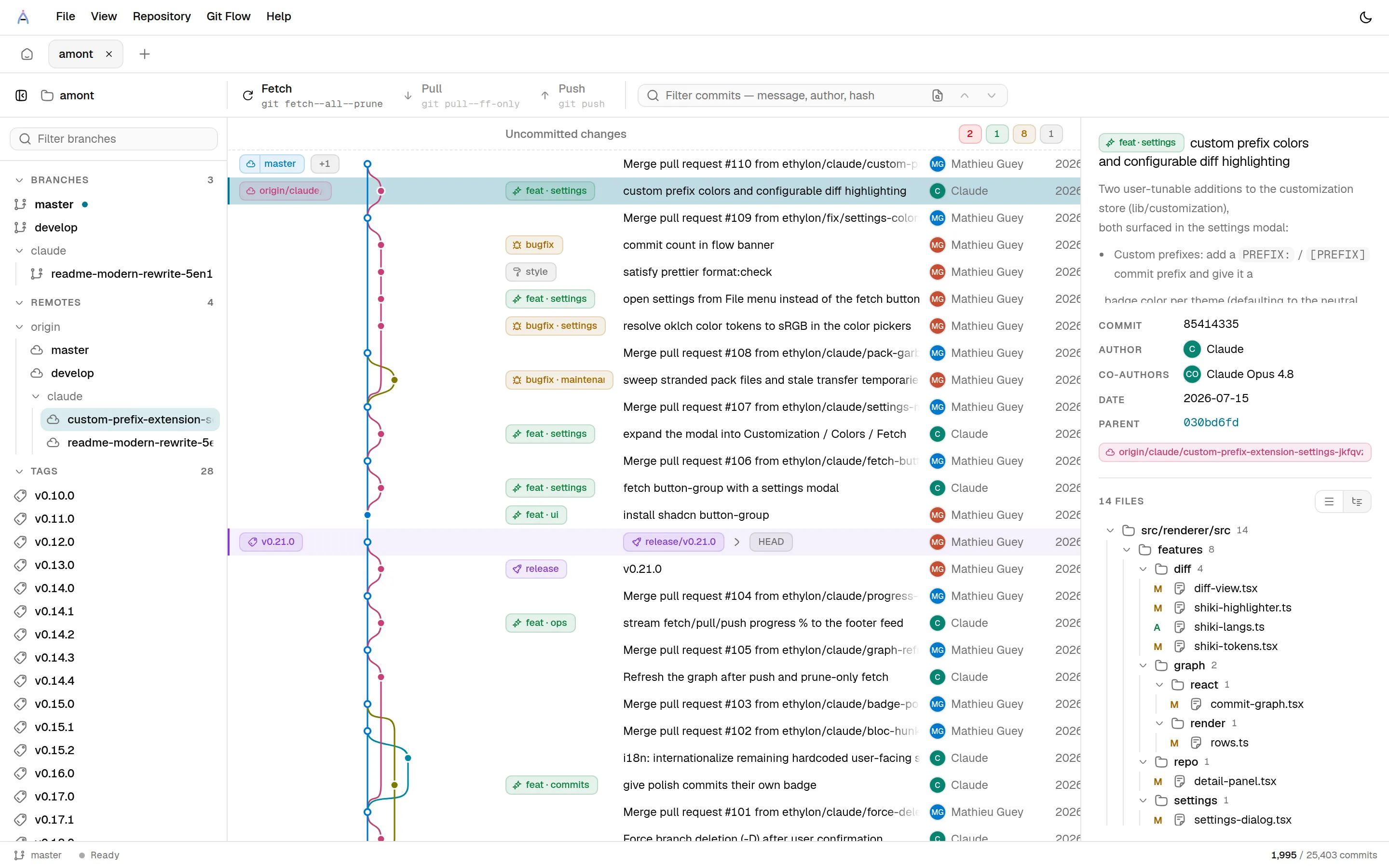
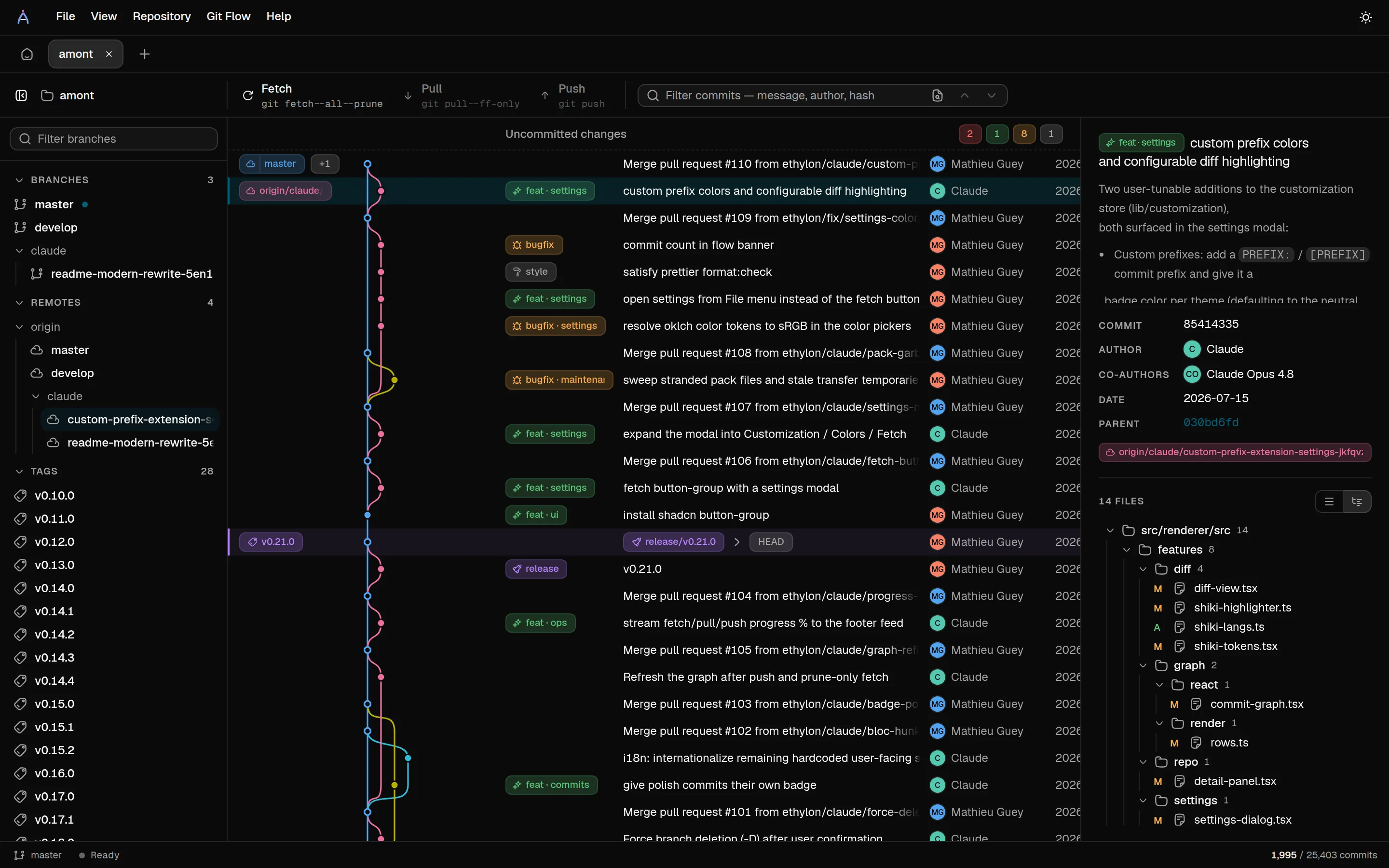
Every screenshot on this page is Amont browsing its own repository. Turtles all the way down.
The whole point of Amont is that nothing about your history should be opaque — not its shape, not its diffs, not the commands run on it.
Layout and DOM are both virtualized: only the visible window of commits is laid out and mounted, pages are fetched as you scroll and evicted when you leave. 100,000 commits scroll like 100.
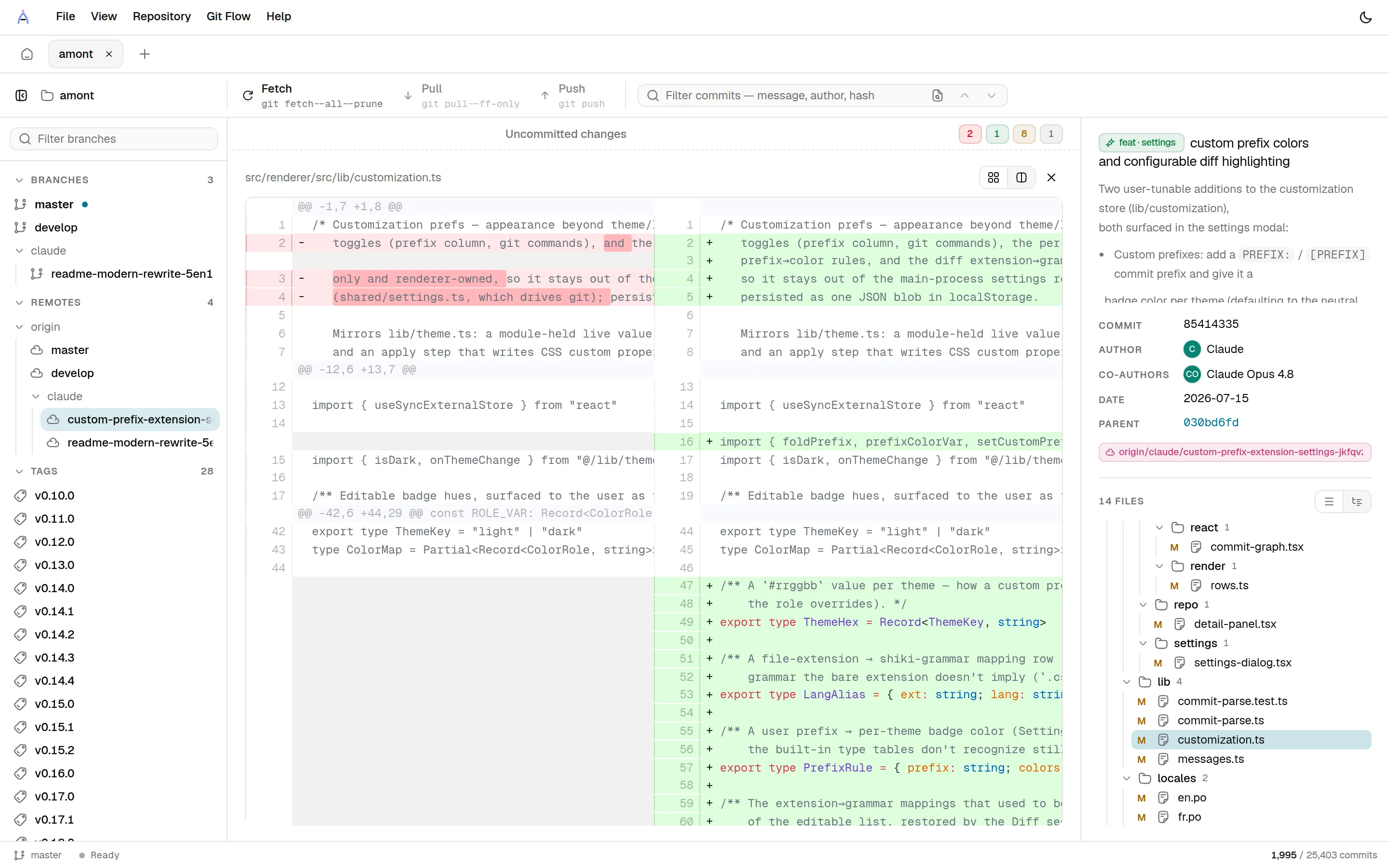
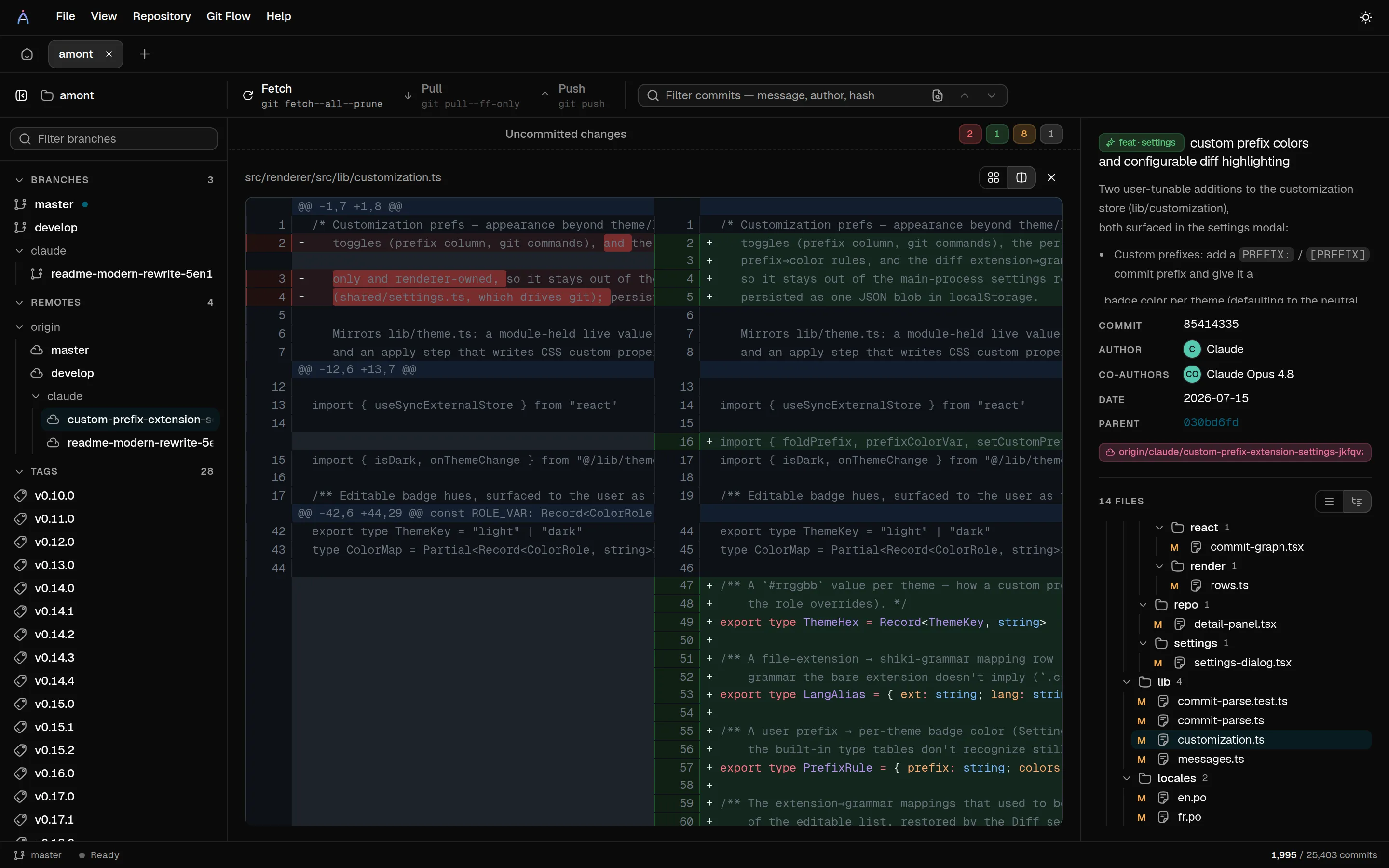
Syntax-highlighted by Shiki — the same grammars as VS Code. Unified or side-by-side, per file or whole commit. Images get a real viewer instead of “Binary files differ”.
Stage, unstage or discard a file, a folder, a hunk, or a single line, straight from a live interactive diff. Amend included, live commit progress included.
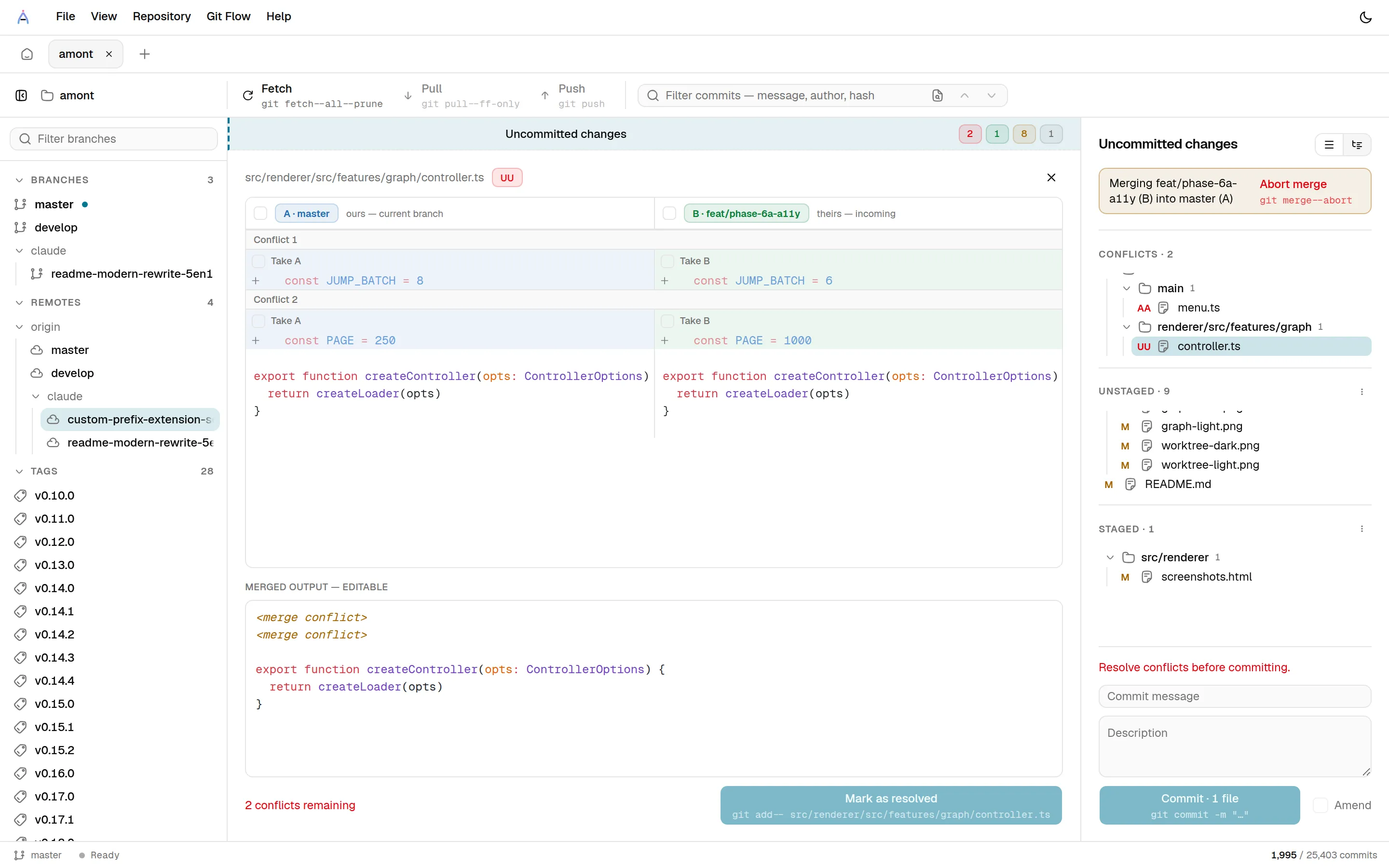
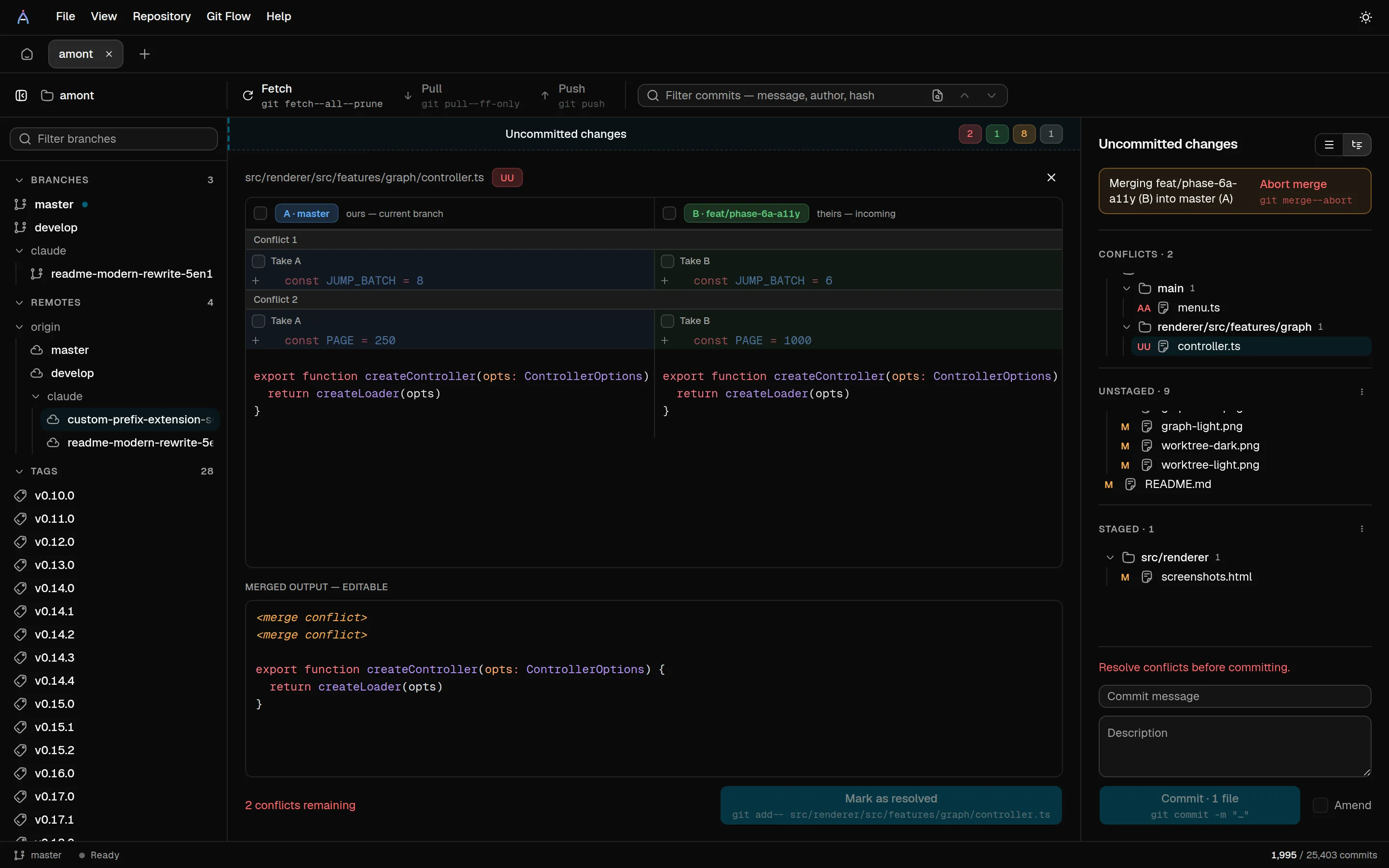
Aligned A/B panes: take a whole side, one chunk, or one line at a time — in the order you click. Picks and hand edits coexist in an editable, highlighted output.
Message, author, hash prefix, and (optionally) diff content via git's pickaxe. Long-distance jumps land instantly, virtualization included.
Feature, release and hotfix branches get a context banner, a tinted one-click finish, start/publish from their own menu, and a start-branch picker.
A sidebar section, graph chips and context menus make git worktree a one-click affair: create, open as a tab, reveal, or remove.
Fetch, pull and push stream their progress into a unified status feed; background auto-fetch (with --prune) keeps the graph fresh on a timer you control.
Mutation buttons preview the exact git command they will run, and a read-only console traces every command the app executes.
The graph, file lists, sidebar, menus and popovers are all fully operable without a mouse.
The UI runs with the Chromium sandbox on and a strict CSP; only the main process touches git, your disk, or the network.
Silent startup check against GitHub Releases, background download, installs on quit or on “Restart now”.
01
This is a ~25,000-commit timeline — Amont scrolls it without loading it. Branch lanes, merge curves, tags, stashes and ahead/behind divergence fold into one timeline, and commit subjects carry type badges so the shape of the work reads at a glance. Selecting a commit opens its full message, co-authors and changed files.
02
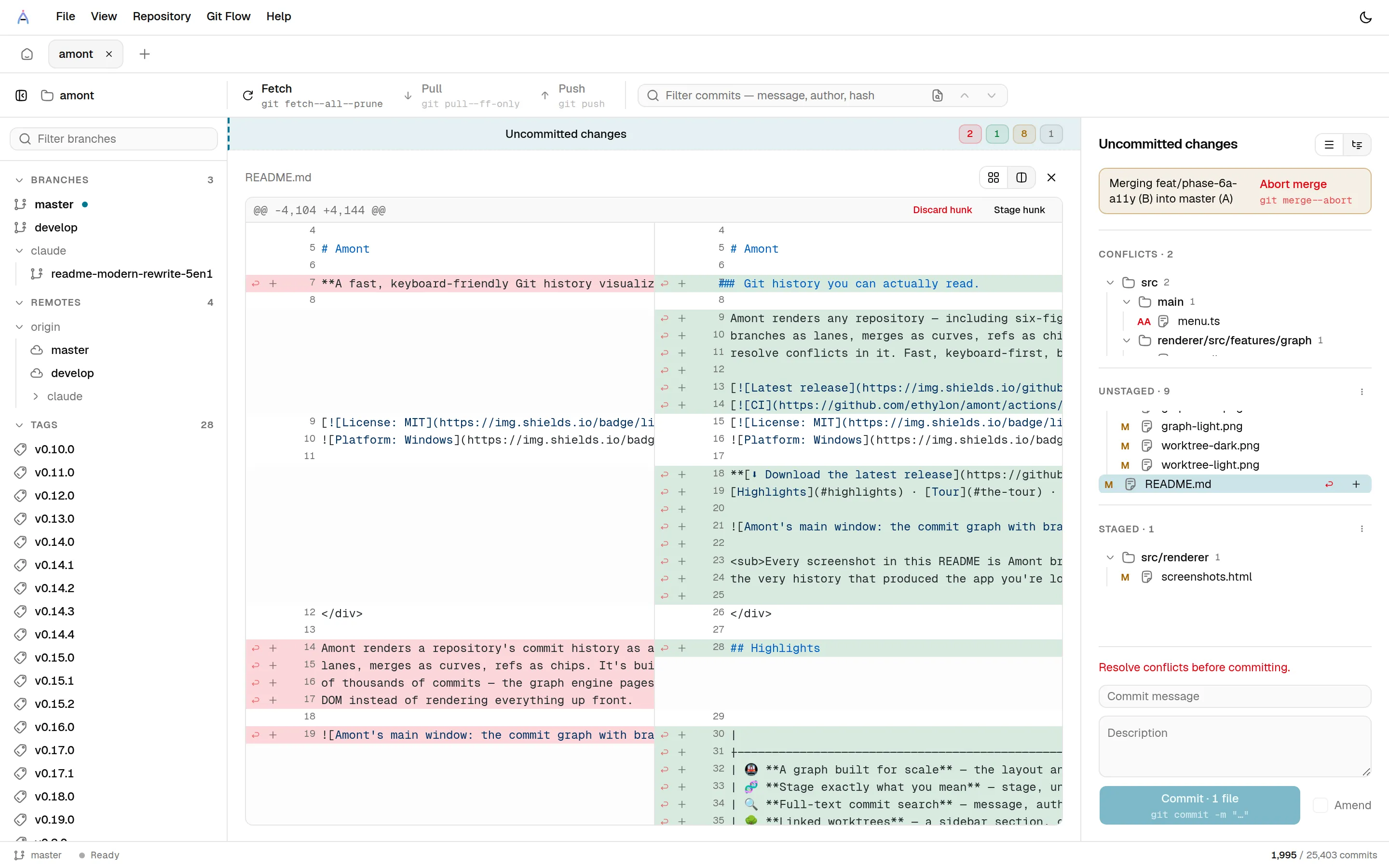
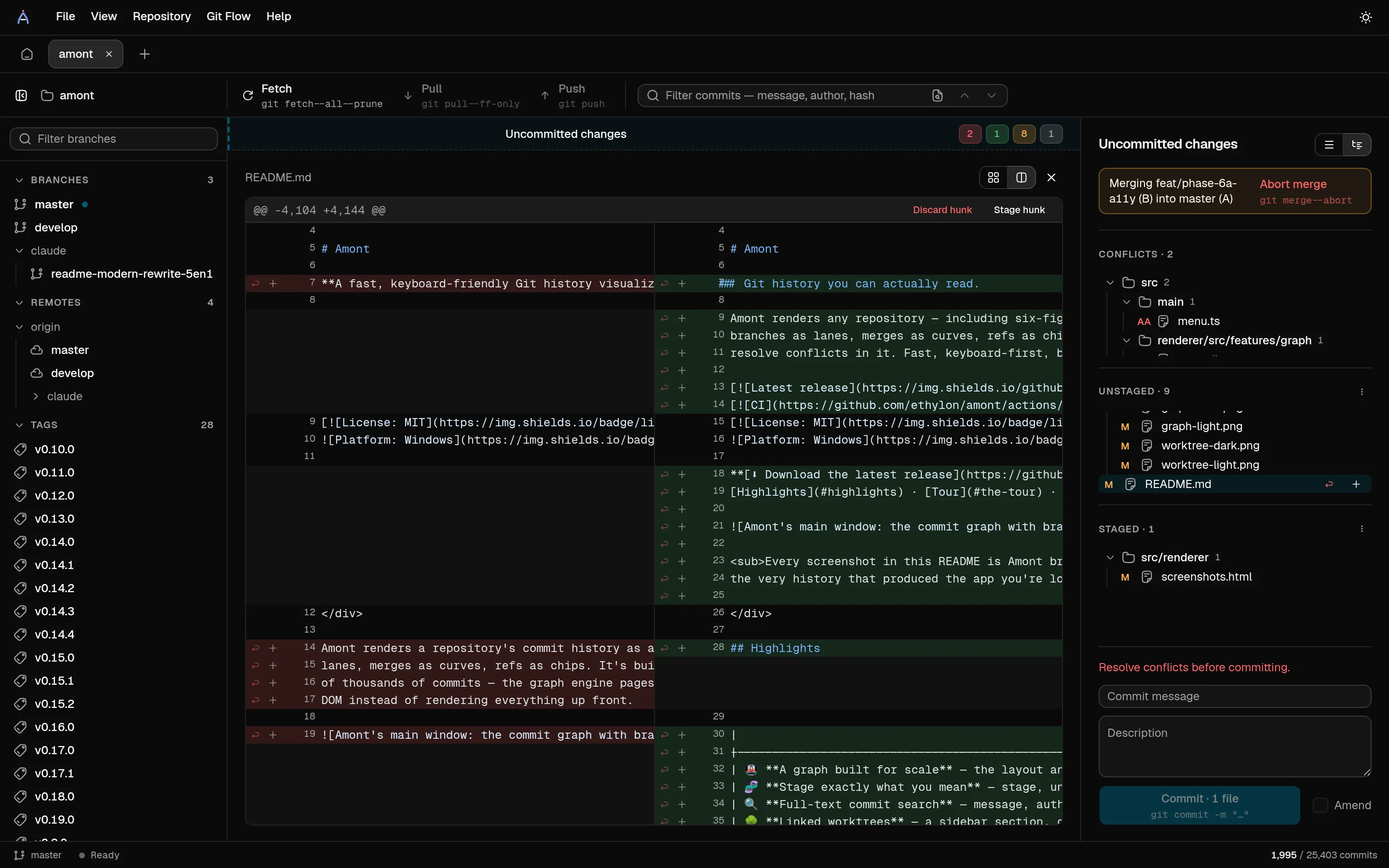
Unified or side-by-side, one file or the whole commit — the two panes scroll together, and Shiki highlights everything with the same grammars VS Code uses. Binary images render in a proper viewer.
03
The staging panel stages files, folders, hunks or single lines from a live split diff. Review everything, then commit or amend — with the exact git command shown on the button before you run it.
04
Both versions laid out in aligned, syntax-highlighted panes. A checkbox per pane takes a whole side, per-chunk checkboxes take one side of one conflict, per-line +/− buttons take single lines — landing in the merged output in the order you click. The output is a normal editor: picks and hand edits coexist.
Developed in the open on GitHub — issues, pull requests and the release pipeline included.
Crash reports carry no repository contents and no PII, and are opt-out at runtime. A build from source sends nothing at all.
Every mutation button previews the exact git command it will run, and a read-only console traces everything.
Download the installer from the latest GitHub release and run it. From then on, Amont keeps itself up to date: it checks at startup, downloads in the background, and installs on quit — or when you click “Restart now”.
Download the latest releaseWindows only for 1.0 — macOS and Linux aren't packaged yet.
About the SmartScreen warning
Released binaries are not code-signed yet, so Windows shows an “unknown publisher” warning when you run the installer — expected, not a sign of tampering. Update integrity relies on HTTPS to GitHub plus the sha512 in latest.yml.